
Vehicle Profile
Set up your vehicle to unlock personalised trail recommendations based on your drivetrain, tyres, and suspension.
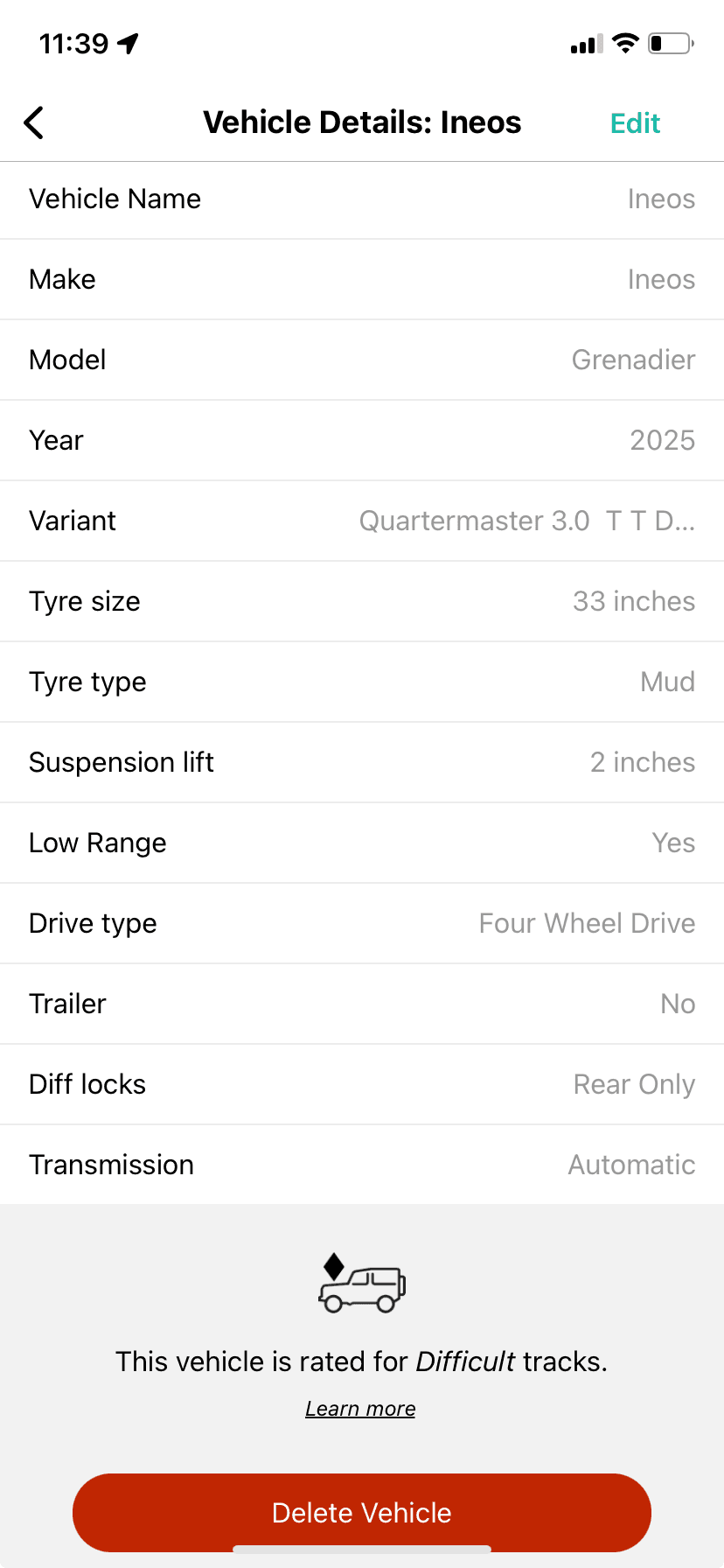
Your vehicle profile lets Newtracs match trails to your specific setup. You must be online to create, edit, or delete a vehicle profile.
Creating a Profile
- Tap Profile
- Tap Vehicle Profile
- Tap Add Vehicle
- Enter your vehicle details and tap Save
Can't find your vehicle in the database? You can enter it manually. A motorbike toggle is available for motorcycle riders.
Important: Enter accurate vehicle information. Incorrect details may result in misleading track recommendations.
Vehicle Rating System
The vehicle rating shows which tracks are suited to different types of vehicles. It's based on track difficulty, terrain, and conditions.
- Compatible trails are highlighted based on your vehicle's drivetrain, suspension, and tyres
- Higher-rated tracks may require vehicle modifications or recovery equipment
- If you're unsure, start with lower-rated tracks for a safer experience
Important: Please ensure your vehicle profile is complete, and you are connected to the internet to get a vehicle capability rating.
Editing a Profile
- Tap Profile
- Tap on your vehicle
- Tap in the top right corner