
Map HUD
View real-time speed, altitude, coordinates, and share your location with others.
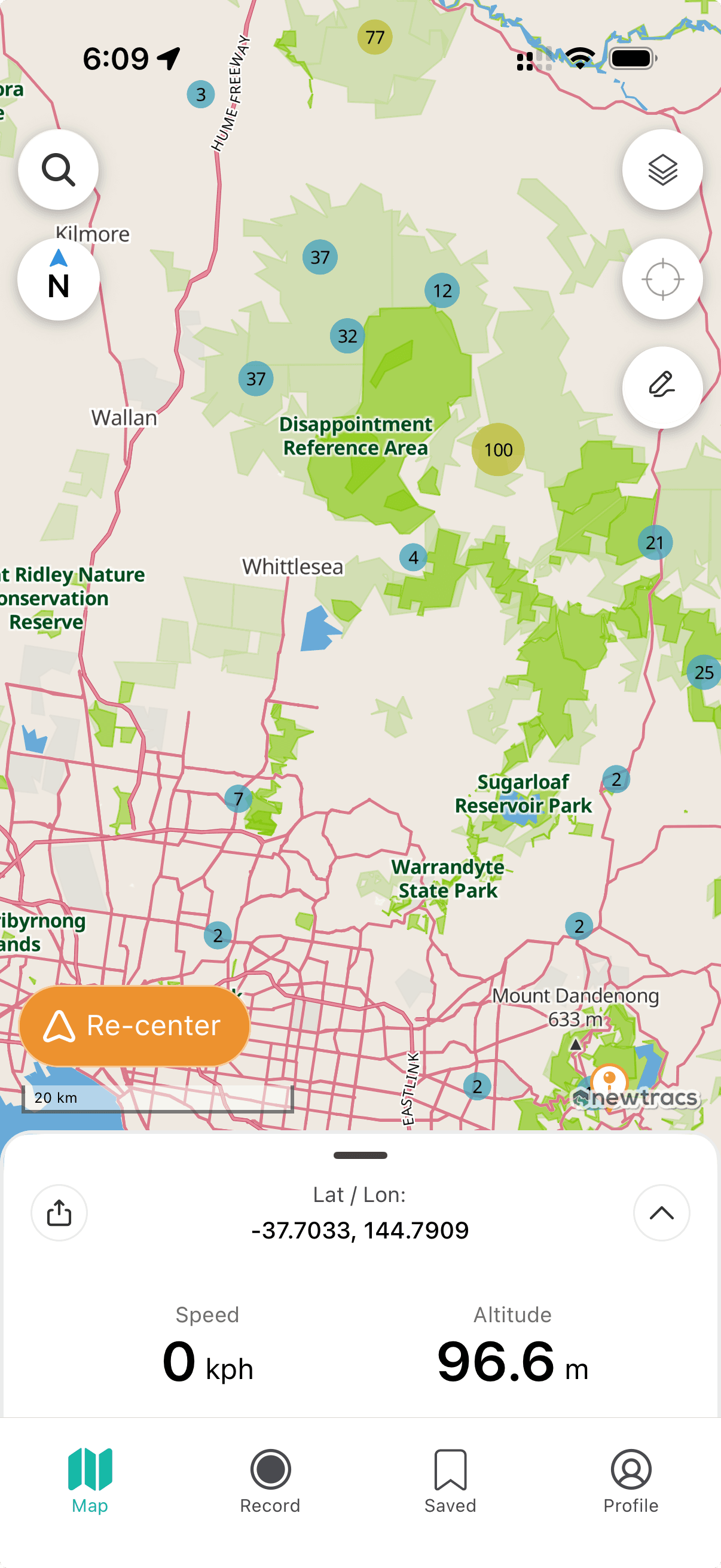
Map Heads-Up Display (HUD)
The HUD slides up from the map bottom, positioned above the Navigation Bar, displaying real-time movement and location information:
- Speed
- Altitude
- Latitude / Longitude
- Share location feature
- 4x4 Kms logged
- Trip record functions
Accessing the Map HUD
- Tap Map View
- Tap the expand icon (right side, above profile button) to toggle the HUD display.
Sharing Your Location
- Tap the Map HUD button twice.
- Select the share icon (top left of pop-up).
- Choose your sharing method: SMS, email, or social media. Recipients receive a location link and coordinates in Newtracs.
Location sharing requires an active internet connection.