
4WD Trail Data
Understand how trail difficulty ratings work and how to view, share, and contribute trail information.
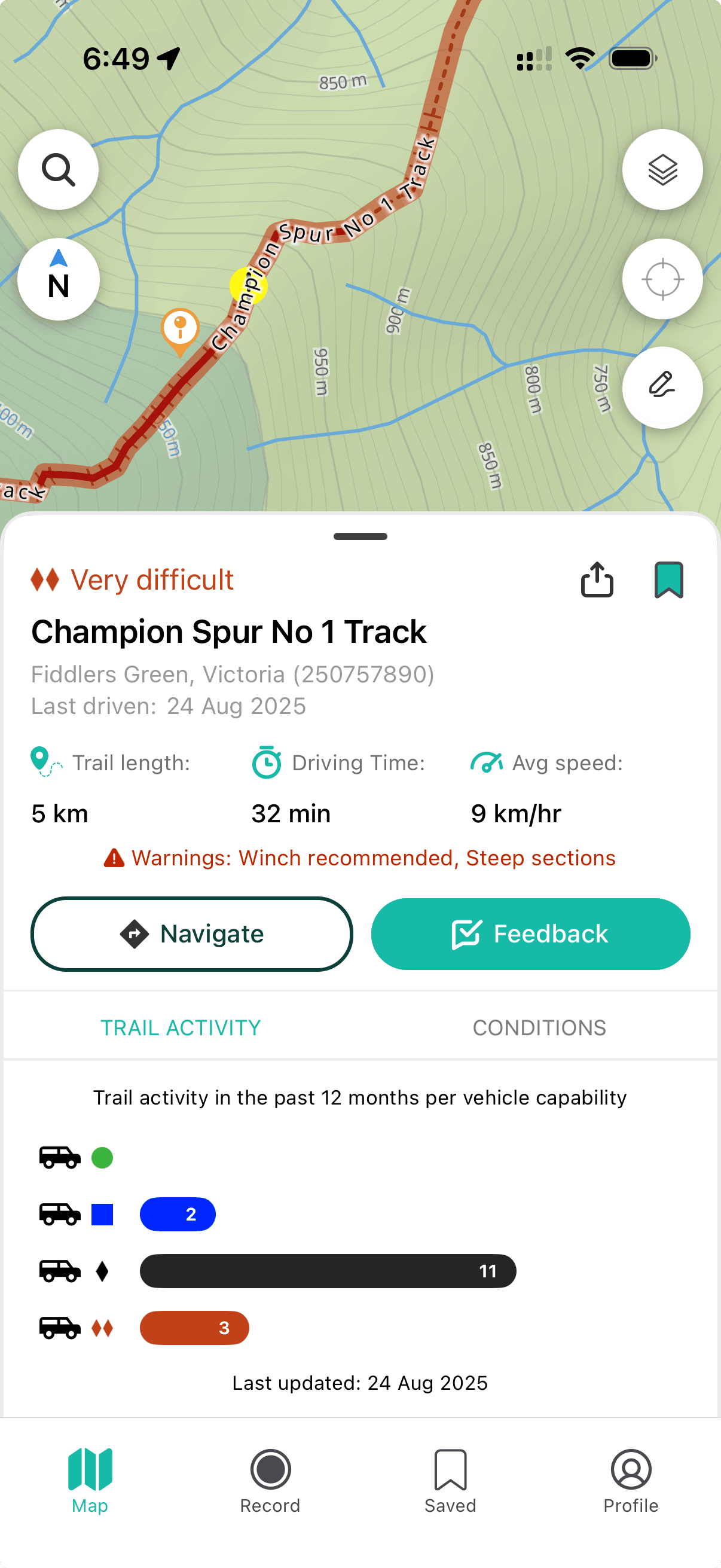
Newtracs delivers real-time 4WD trail reports with automatically updated difficulty ratings, recent traffic, last-driven dates, trail length, and average driving time. Trail data is updated regularly from user trip logs — the more people log trips, the more accurate the information becomes.
Viewing Trail Information
Tap any trail on the map to open its info panel. You'll see:
- Trail name and difficulty rating
- Last driven date and recent traffic by vehicle type
- Warnings (e.g. winch recommended, river crossing)
- Distance, average drive time, and average speed
- Trail activity metrics
Difficulty Ratings
Trail difficulty is colour-coded and based on aggregated real user data:
- Green — Easy
- Blue — Medium
- Black — Difficult
- Red — Very Difficult
Ratings reflect actual vehicle performance across all users who have driven that track, making them more accurate over time.
Vehicle-Specific Trail Matching
With a complete vehicle profile, Newtracs highlights trails that are compatible with your specific vehicle (drivetrain, suspension, tyres). Tap Profile to update your vehicle specs.
Sharing a Trail
- Tap the trail to open its info panel
- Tap the Share button
- Choose your method: SMS, email, or social media
User Feedback
Help improve trail data for the community:
- Tap the trail on the map
- Tap Provide Feedback
- Submit any of: trail name suggestion, difficulty rating, availability status, current conditions (rocky, muddy, steep, sandy, overgrown), and comments
Data Refresh
Trail data updates automatically every 24 hours. Premium users receive real-time updates.